Recruitment assistance
Ask recruitment-related questions in the workspace assistance interface.

Manage recruitment, onboarding, attendance, payroll, employee records, performance, and compliance—all from one secure platform.
Discover the Reqtus HRM product range—from recruitment and employee records to payroll, performance and workforce insights.
Build a candidate pipeline, coordinate interviews and keep feedback beside every hiring decision.
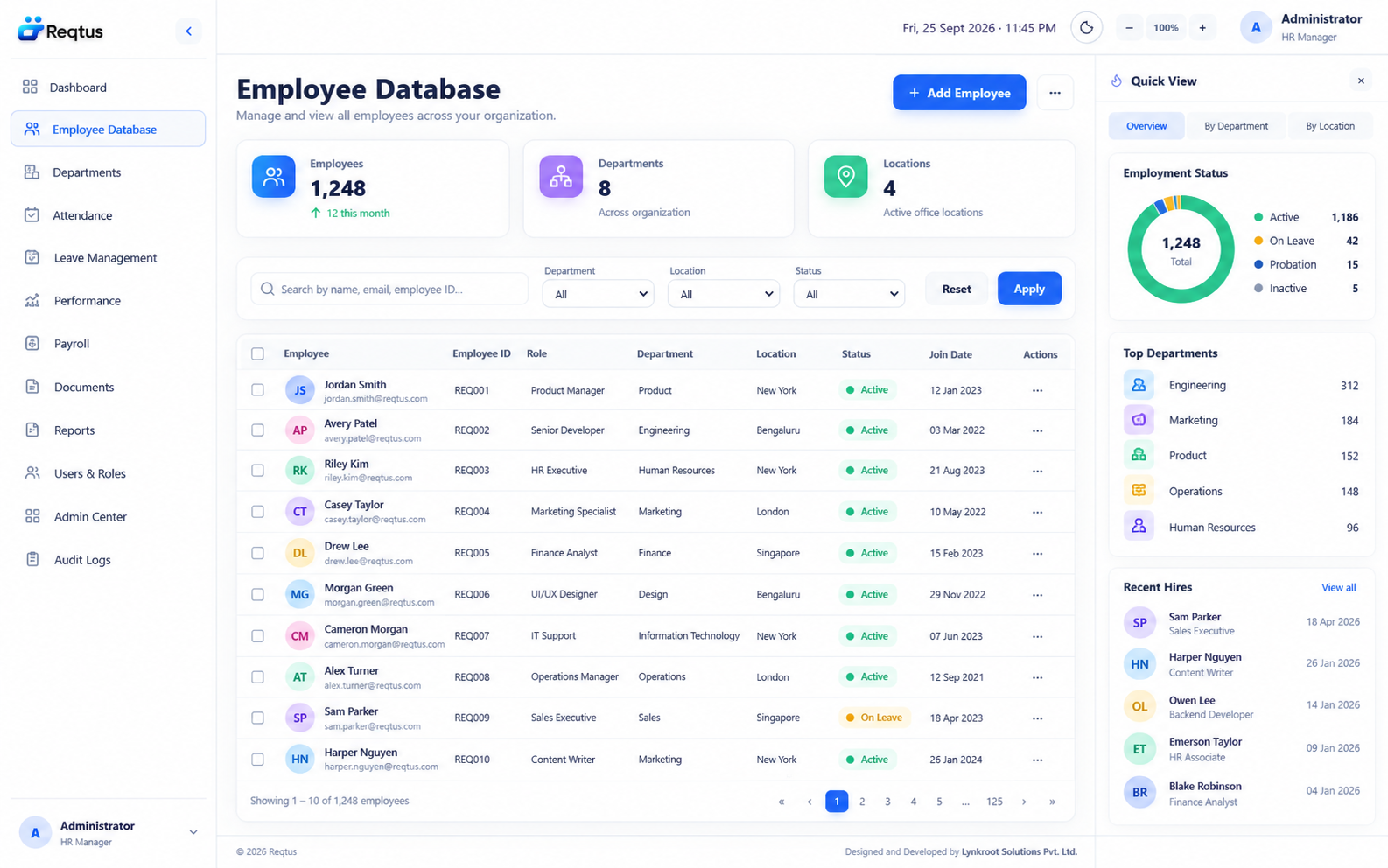
Explore module →Connect employee profiles, reporting lines, documents and important changes across the employee journey.
Explore module →Bring HR, hiring managers and IT together around a clear joining plan, with visible ownership for each task.
Explore module →Review shifts, check-ins and attendance exceptions together so your team can resolve discrepancies before reporting.
Explore module →Give employees a clear view of leave balances and managers the context to make timely approval decisions.
Explore module →Bring salary inputs, attendance adjustments, deductions and approvals into a repeatable review process.
Explore module →Connect goals, review cycles and feedback so managers and employees can build a shared development plan.
Explore module →Track company equipment from allocation to return, with a clear owner, condition and handover history.
Explore module →Bring HR and IT requests into one organized queue with a visible owner, priority and resolution history.
Explore module →Bring workforce, hiring and operational reports together so the same definitions support every team conversation.
Explore module →Follow hiring funnels, attendance patterns and employee growth with a consistent view across reporting periods.
Explore module →Give employees one place to check information, raise requests and follow the progress of routine HR tasks.
Explore module →
Explore how recruitment, onboarding, employee records and everyday HR fit together. Start with your team?s priorities, then choose the modules and reporting needs that support your next stage of growth.
Discover recruitment, employee records, onboarding, attendance, payroll and more. Explore each module through its workflow story and dashboard preview.
Track candidates, client jobs, interviews and onboarding outcomes in Talent Flow.
Learn more →Connect employee profiles, reporting lines, documents and important changes across the employee journey. Design concept.
Learn more →Bring HR, hiring managers and IT together around a clear joining plan, with visible ownership for each task. Design concept.
Learn more →Review shifts, check-ins and attendance exceptions together so your team can resolve discrepancies before reporting. Design concept.
Learn more →Give employees a clear view of leave balances and managers the context to make timely approval decisions. Design concept.
Learn more →Bring salary inputs, attendance adjustments, deductions and approvals into a repeatable review process. Design concept.
Learn more →Connect goals, review cycles and feedback so managers and employees can build a shared development plan. Design concept.
Learn more →Track company equipment from allocation to return, with a clear owner, condition and handover history. Design concept.
Learn more →Bring HR and IT requests into one organized queue with a visible owner, priority and resolution history. Design concept.
Learn more →Bring workforce, hiring and operational reports together so the same definitions support every team conversation. Design concept.
Learn more →Follow hiring funnels, attendance patterns and employee growth with a consistent view across reporting periods. Design concept.
Learn more →Give employees one place to check information, raise requests and follow the progress of routine HR tasks. Design concept.
Learn more →Explore the Reqtus modules through detailed product concept images inspired by Talent Flow.
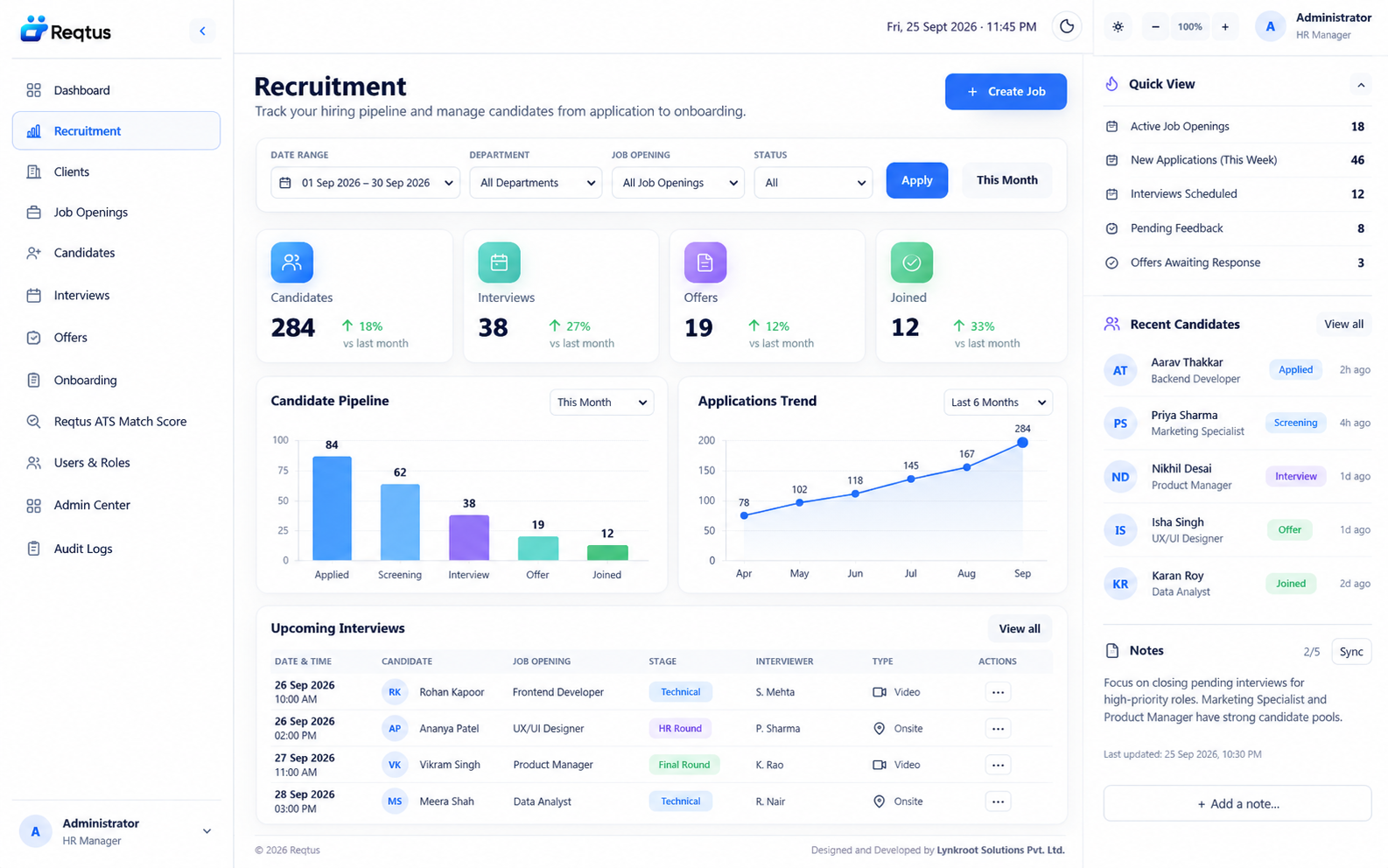
Build a candidate pipeline, coordinate interviews and keep feedback beside every hiring decision.
Illustrative product previewMaya is a local command-based recruitment assistant. Supported searches and actions respect user permissions. Generative AI and ATS match scoring are not available features.
Ask recruitment-related questions in the workspace assistance interface.
Review suggested content before updating records or contacting candidates.
Workspace permissions apply to supported assistance operations.
Maya handles supported commands within the application; it is not a general-purpose generative AI service.
Compare recorded skills and experience. Automated ATS scores and rankings are not available.
Use supported recruitment tools while keeping decisions with your team.
WhatsApp and email handoffs support recruitment communication. Other external connections require assessment and are not included features.
Discuss your requirements; no built-in integration is implied.
Discuss your requirements; no built-in integration is implied.
Discuss your requirements; no built-in integration is implied.
Discuss your requirements; no built-in integration is implied.
Discuss your requirements; no built-in integration is implied.
Discuss your requirements; no built-in integration is implied.
Discuss your requirements; no built-in integration is implied.
Discuss your requirements; no built-in integration is implied.
Discuss your requirements; no built-in integration is implied.
Use authenticated sessions and role permissions. Review deployment safeguards and operational responsibilities with your team.
Review access and deployment requirements with your administrator. Certifications and external compliance guarantees are not implied.
Learn more →Review access and deployment requirements with your administrator. Certifications and external compliance guarantees are not implied.
Learn more →Review access and deployment requirements with your administrator. Certifications and external compliance guarantees are not implied.
Learn more →Review access and deployment requirements with your administrator. Certifications and external compliance guarantees are not implied.
Learn more →Review access and deployment requirements with your administrator. Certifications and external compliance guarantees are not implied.
Learn more →Review access and deployment requirements with your administrator. Certifications and external compliance guarantees are not implied.
Learn more →Review access and deployment requirements with your administrator. Certifications and external compliance guarantees are not implied.
Learn more →Review access and deployment requirements with your administrator. Certifications and external compliance guarantees are not implied.
Learn more →Compare plans and discuss the modules, team size and support your business needs.
Explore pricingEverything you need to know about Reqtus. Can’t find an answer?
Talk to our teamReqtus is the HRM product platform from Lynkroot Solutions, bringing together a catalogue for the employee journey: recruitment, employee records, onboarding, attendance, leave, payroll, performance and people insights. Talent Flow is its recruitment application.
Reqtus is designed around the needs of growing businesses, HR teams, employees, managers and staffing organizations. Explore the modules that match your people processes and discuss your requirements with our team.
Explore Recruitment (ATS), Employee Database, Onboarding, Attendance, Leave, Payroll, Performance, Asset Management, Helpdesk, Reports, Analytics and the ESS Portal. Each feature page explains the module and shows its product preview.
The Employee Database preview brings employee profiles, reporting lines and documents into one directory. It shows how teams could organize people information across the employee lifecycle.
The onboarding catalogue covers joining documents, task checklists, ownership and welcome journeys. Talent Flow currently records recruitment joining and onboarding outcomes.
Attendance and Leave previews show working-time visibility, shifts, leave requests, balances and holiday planning, helping you explore a connected approach to workforce availability.
The Payroll catalogue covers salary processing, deductions, reimbursements and payslips. Discuss your statutory requirements, payroll rules and module availability with the team before choosing a plan.
Explore goals, KPIs, KRAs, appraisals and feedback through the Performance module preview. These workflows are designed around clearer expectations and regular development conversations.
ESS means employee self-service. Its preview shows how employees could access personal details, leave, attendance, payslips and routine requests from one place.
Both are part of the HRM catalogue. Asset Management covers assignments, returns and tracking; Helpdesk covers employee requests, support tickets and follow-up. Visit their feature pages to explore the previews.
Explore dashboards for workforce trends, attendance, payroll and performance. Available Talent Flow reports focus on recruitment activity, hiring outcomes and estimated revenue from onboarded candidates.
Talent Flow supports candidate records, client jobs, hiring stages and interview scheduling. Recruiters can coordinate applicants across multiple jobs and clients and record hiring outcomes.
The current application implements Talent Flow recruitment. The wider HRM module screens are product previews. Confirm the modules and workflows included in your deployment with our team.
Talent Flow includes Maya for supported recruitment commands and record searches. The catalogue also illustrates AI-assisted HR ideas; generative reports, predictive hiring and automated match scoring are not currently available. People remain responsible for decisions.
The application requires login and server-side authorization for private records. Administrator and recruiter permissions determine access. Public product previews do not contain customer workspace records.
Talent Flow supports imports and exports for supported recruitment records. For other data migration or integrations, share your systems, formats and requirements so the team can assess scope. Email and WhatsApp handoffs require user action.
The public website and current recruitment interface use responsive layouts for Android and iOS browsers. Discuss the employee and manager workflows you need when reviewing the wider HRM catalogue.
Compare Starter, Professional and Enterprise on the Pricing page, then discuss your headcount, required modules, rollout and support needs. Confirm availability, billing and commercial terms with the team.
Select Login and use the credentials supplied by your workspace administrator. Your role determines which application features you can access. Contact your administrator if you need an account.
Select Request a demo or use Contact Us to share your company, team size and HR priorities. You can also send an enquiry through the website assistant or email sales@lynkroot.com.
Explore employee records, recruitment, everyday HR and reporting with a walkthrough tailored to your business.
Request a demo Login